Ripple
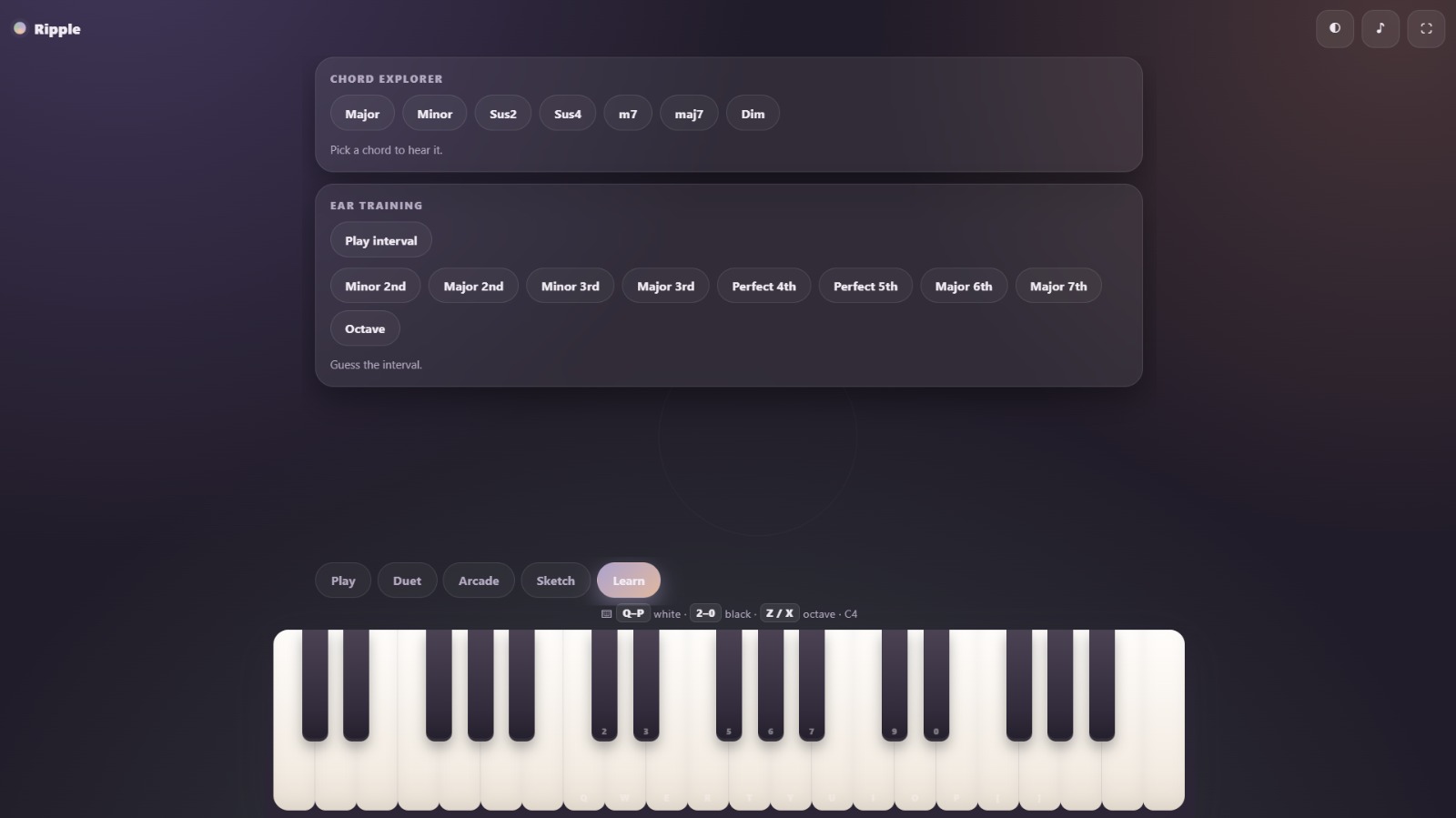
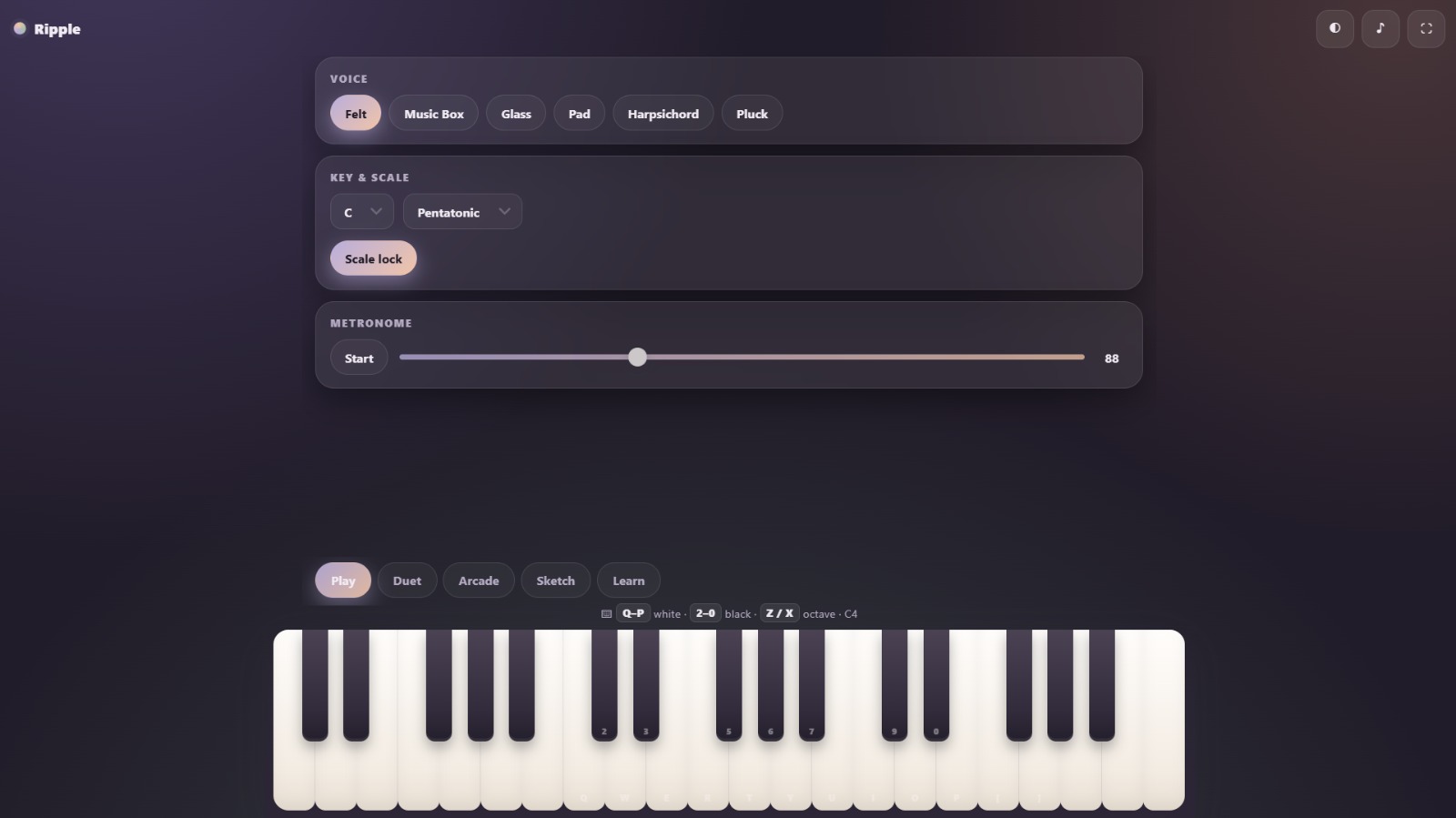
Meet Ripple. It is a free piano you can open right in your browser, no install, no account, nothing to download.You get a full keyboard you can tap on your phone, tablet, or computer, and you can also play it with your regular keyboard if you prefer. Pick one of six soft voices, choose a key and scale, and turn on scale lock so nothing you play ever sounds wrong. There is a metronome when you want to keep time. The fun part is the Duet section, where a partner listens to the notes you just played and answers back with its own melody in the same key. You can change its style and mood to make it calm, bright, sad, playful, or cinematic. If you want a game, Arcade gives you short phrases to repeat from memory, and it gets harder as you go. Sketch lets you record what you play, listen to it again, and export it as a MIDI file you can open in any music app. Learn has a chord explorer and an ear training quiz so you can practice. The whole thing looks soft and pastel, has a dark mode, runs fullscreen, and remembers your settings. It is made to feel calm and never in your way, and you can add it to your home screen so it opens like a real app.
Tech stack
- Claude
- Vercel
Links
Prompt
Build me **Ripple**, a free browser-based piano that works on desktop, phone, and tablet, installable as an app with a manifest and service worker.

**Look and layout.** It looks soft and pastel (light theme cream `#F7F1EA`, ink `#3A3440`, lavender `#B9AEDC`, sage `#A8BFA8`, peach `#F0C4A8`; dark theme plum `#211C29` with light text). Cards are frosted glass with rounded corners. Corner glows swap with the theme. The page is fixed height so only the middle scrolls, with safe-area support. Animations are calm and always on, and reduced-motion preferences are respected.

**Structure.** A top bar holds a spinning gradient dot logo plus theme, mute, and fullscreen buttons. A scrollable stage shows one of five tabbed sections: Play, Duet, Arcade, Sketch, Learn. A piano docked at the bottom, with a desktop-only hint line, is built from divs (two octaves on phones, three on larger screens, starting at C3) with light-gradient white keys and dark-gradient black keys that dip when pressed.

**Input.** The piano uses pointer events with per-finger tracking so chords and glissando work, never scrolls the page, sets volume by where the finger lands on the key, and releases stuck notes on window blur. It also plays from the computer keyboard (Q W E R T Y U I O P and brackets for white keys, 2 3 5 6 7 9 0 for black keys, Z and X to shift octaves from C4 within C2–C5) with small hint labels on each key, ignoring typing in inputs and modifier keys.

**Sound.** The Web Audio API is created on first gesture, routed through master gain and compressor with reverb on the note bus and dry UI bus. Six synthesized instruments (Felt, Music Box, Glass, Pad, Harpsichord, Pluck) are built from oscillator partials, envelopes, and a lowpass filter. Each note returns a release handle and auto-releases after 14 seconds. Three soft UI sounds cover taps, toggles, and swipes.

**Ripples.** A fixed canvas behind everything draws soft ripples from each key colored by pitch class, capped around 130, with faint idle rings every few seconds, sharper on retina and brighter in dark mode.

**Play tab.** A voice picker, a key and scale dropdown with a scale-lock chip that snaps notes to the chosen scale, and a metronome with start/stop, a BPM slider from 40 to 180, and an accented first beat.

**Duet tab.** An on/off partner that buffers your last notes and answers after a short silence, three styles (Answer transposes down with variation, Echo repeats up with pitch shifts, Underlay holds a triad and bass), and five moods (Calm, Bright, Melancholy, Playful, Cinematic) that set a scale, partner voice, and density. Everything goes through scale lock and spawns ripples.

**Arcade tab.** A memory game with Start, Daily (starts harder), and Stop chips, Level and Streak stats, a message line, and a loop that plays 3 plus level notes (max 8) from the scale with the Music Box voice and key flashes, then listens for your repeat, resets the streak with a gentle shake on mistakes, bumps the level every two correct rounds with a ripple burst, and clears timers on stop.

**Sketch tab.** Record captures notes with timestamps, pitch, and velocity. Play replays them with ripples. Clear wipes them. Export MIDI produces a valid standard MIDI file with header, track, tempo, time signature, and properly timed note on and note off events, downloaded as ripple.mid.

**Learn tab.** A chord explorer with seven chord chips playing from the current root with the Pad voice, and ear training that picks a random interval, plays it, and checks guesses with a chime-pop for correct and a shake for wrong.

**Settings and polish.** The top bar toggles dark mode (also updating the theme-color meta), mute (zeroing master gain and swapping the icon), and fullscreen. Settings (theme, mute, voice, duet state, style, mood, key, scale, lock, BPM) persist to `localStorage` under one key. Narrow screens shrink padding, the keyboard uses a `clamp` height, and the piano handles multi-touch on tablets while single-pointer trackpads still play single notes.

**Final note.** Write clean, modular code. Test it in a browser so nothing throws console errors and audio only starts after the first click or key press.4 likes · 1 comment
Comments (1)
Fun idea. I suck at piano but maybe this game will teach me haha. Thanks for sharing!