PARCEL: A Personal Watchdog for Your House!
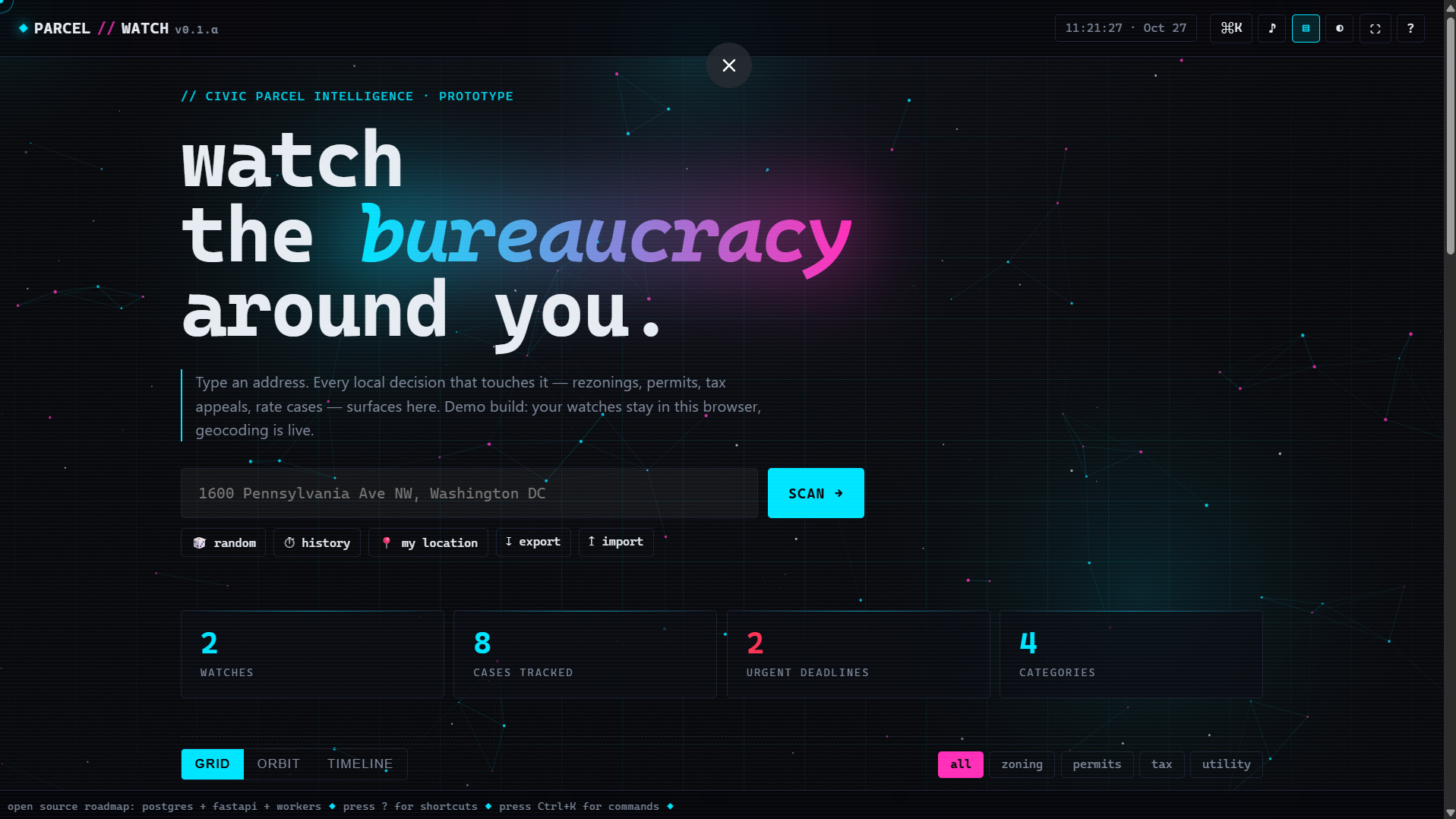
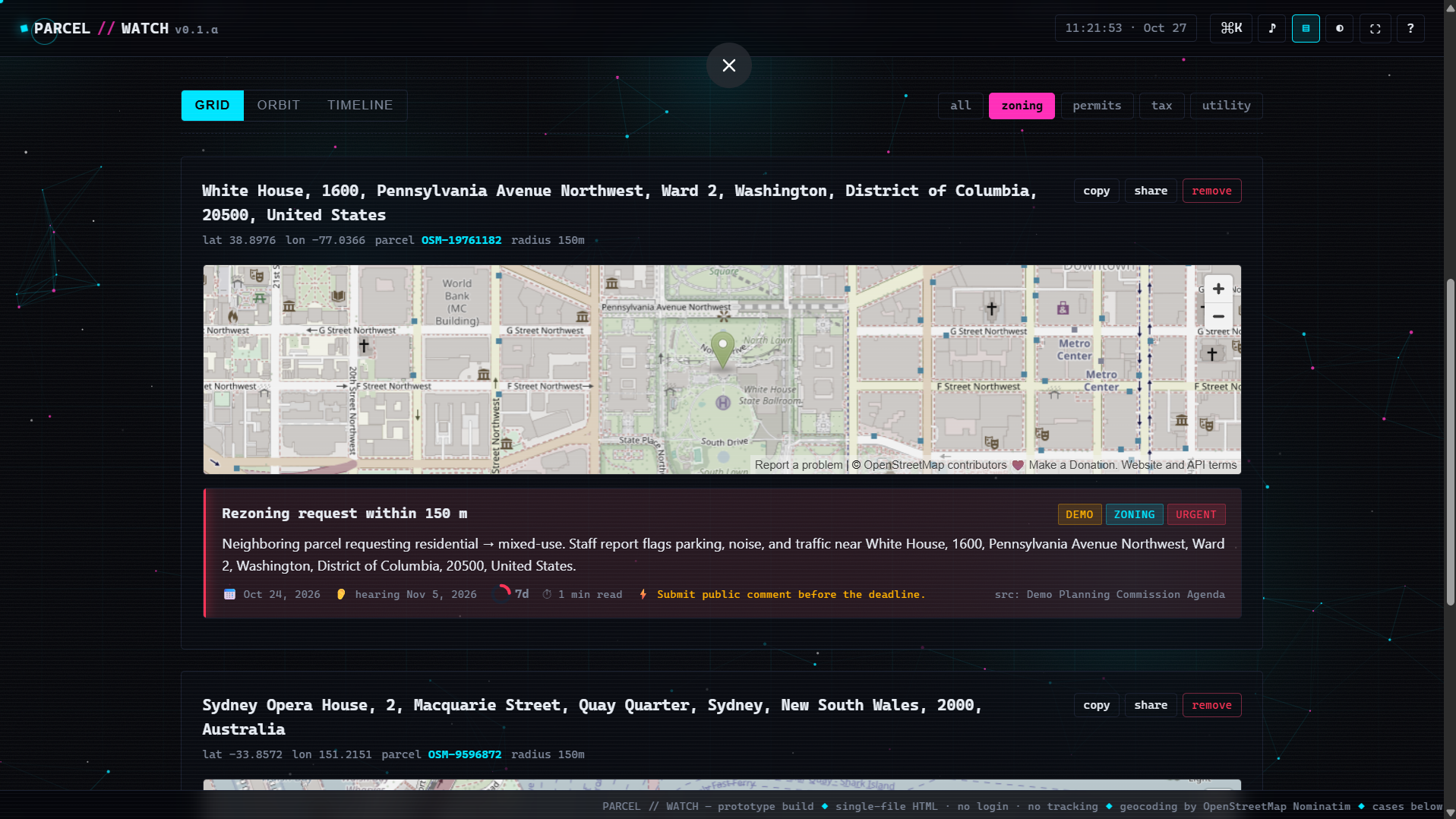
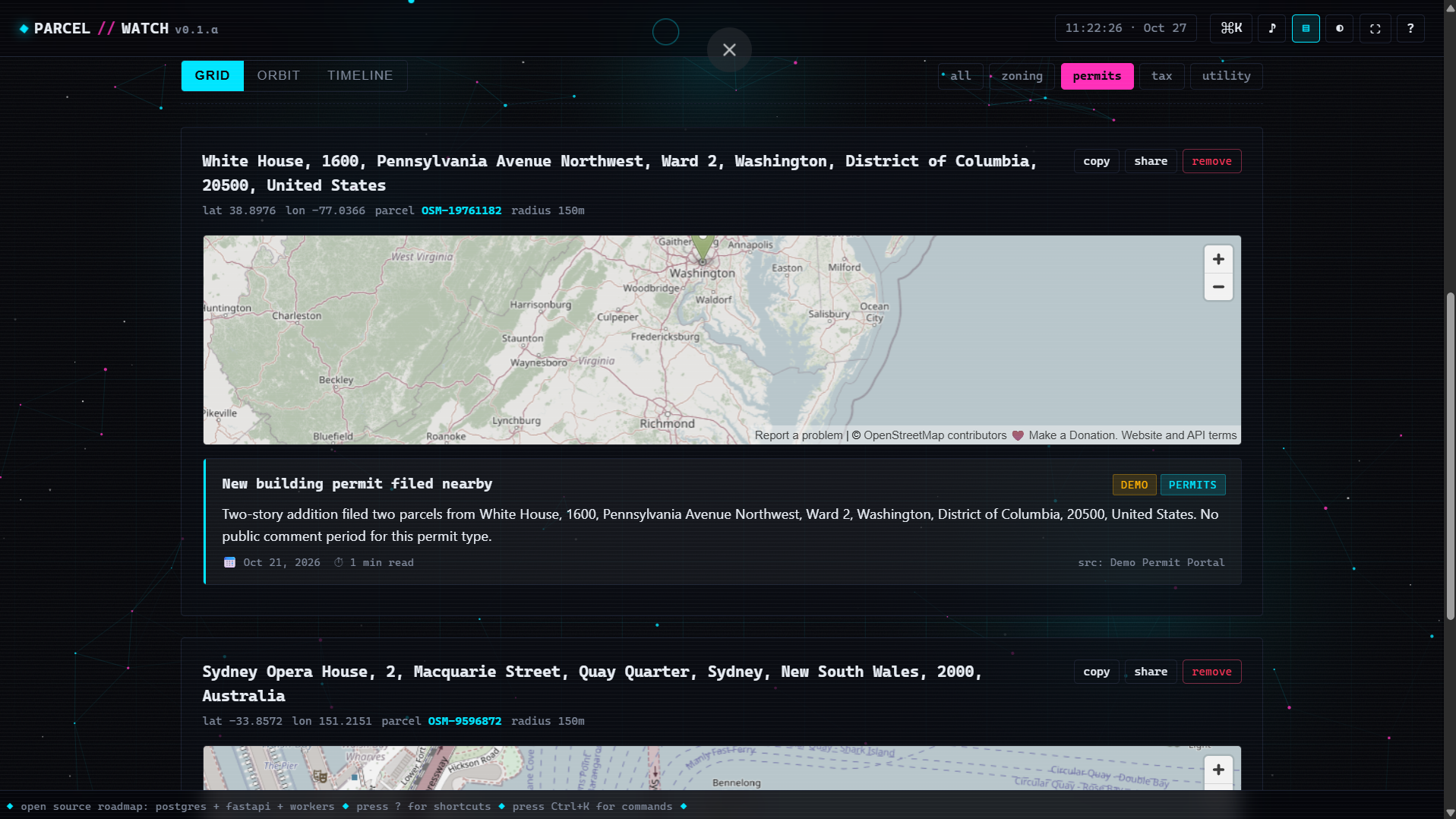
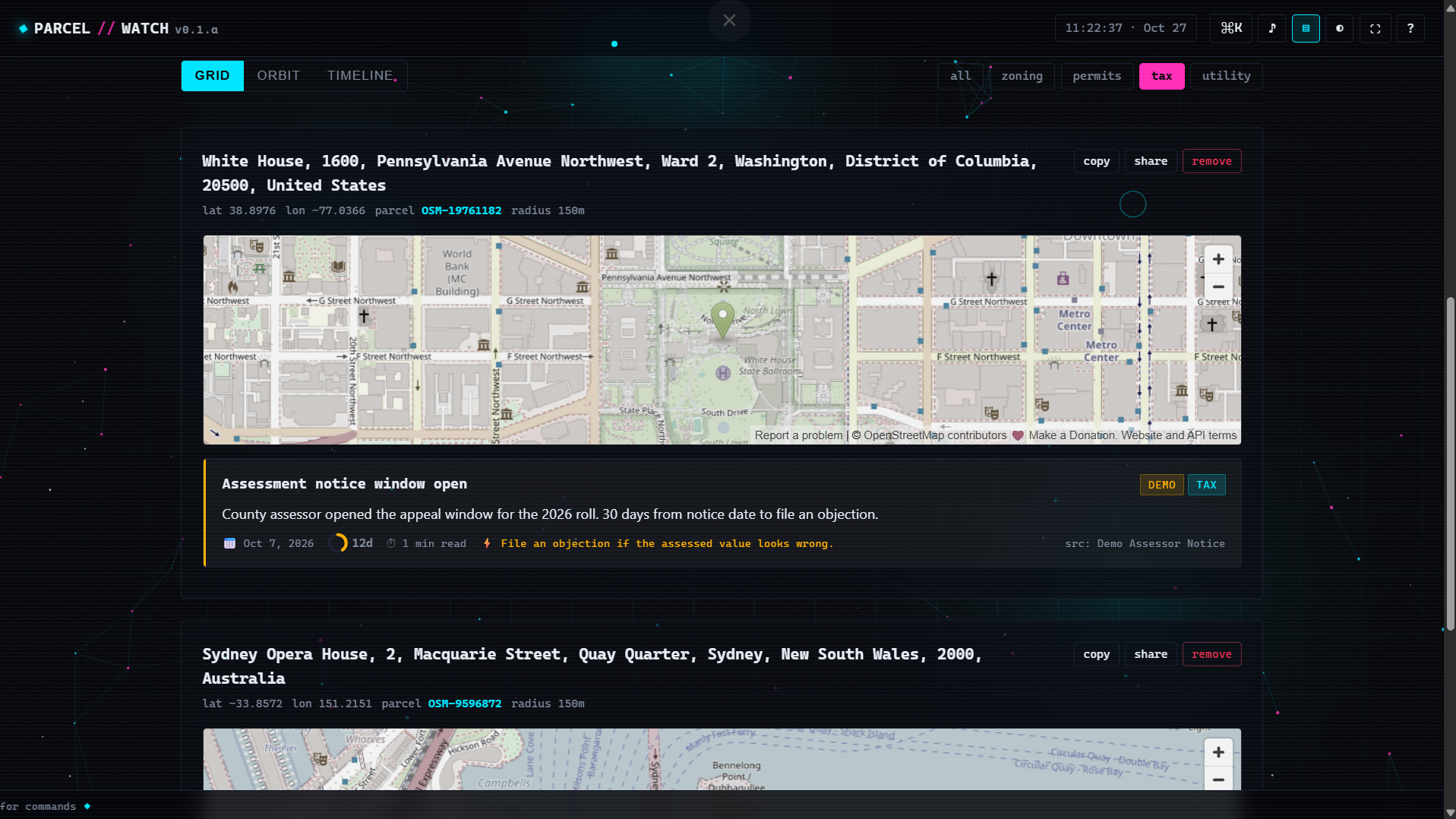
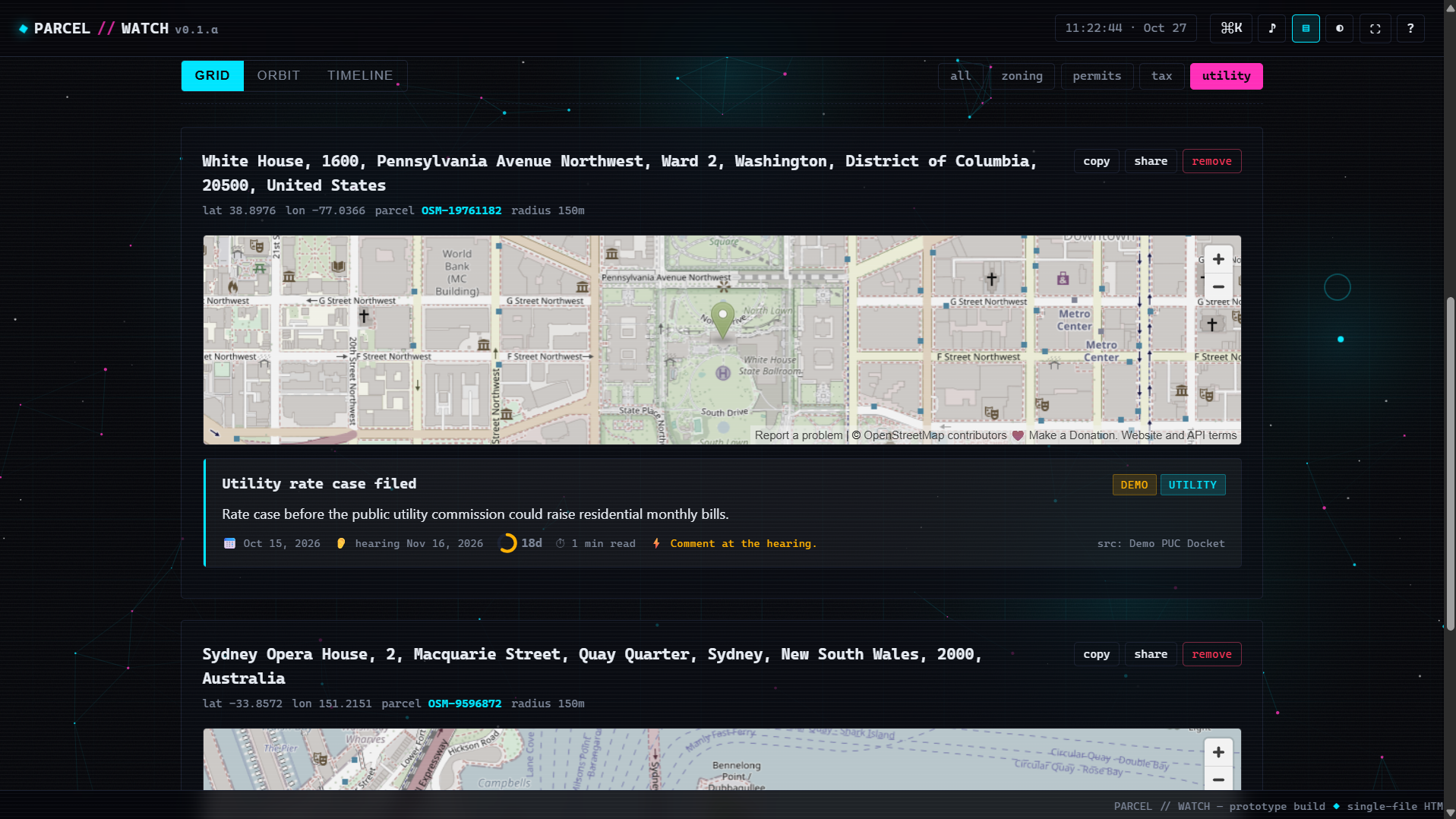
Ever had a massive building pop up next door and block your sunlight? Or your property taxes suddenly spike and you have no idea why? Or the city decides to do something that tanks your home's value and makes the neighborhood super loud?
Most of the time, these big decisions are buried in a mountain of boring PDFs and confusing government websites that nobody has the time or patience to read.
That’s why we built ParcelWatch. It acts like a personal guard dog for your exact address.
How does it work?
It’s super simple! You just type in your home address. From then on, the site lines up every single decision that could affect your neighborhood. For example: Someone applying to change the zoning next door? You get a heads-up. A new construction project breaking ground? You'll know about it. Your water, power, or tax bills about to change? You hear about it first.
Why does it matter for your daily life?
Because it tells you exactly when your deadline is to complain! If you miss the window to object, you’ll be kicking yourself later saying, "I wish I had known." This site gives you the power to be the first person to smell trouble when a neighbor tries to add 3 extra floors to their house, or when confusing city paperwork shows up in your mailbox.
Bottom line: nothing slips past you anymore. Sleep easy knowing there's a watchful eye on your home and neighborhood!
Tech stack
- Cursor
- ChatGPT
- Vercel
Links
Prompt
Act as an expert web coder. Build me a working single-file website called "ParcelWatch". It is a tool that tracks local government stuff (like building permits, taxes, and zoning) around any address. Put everything in ONE single HTML file. Use inline <style> for CSS and inline <script> for JavaScript. You can use free data from the internet (like OpenStreetMap to find addresses). But DO NOT use any outside libraries or frameworks. No React, no Tailwind, no jQuery. Just plain HTML, CSS, and JS.

Here are the exact rules for how the site must look and work:

### 1. LOOK AND FEEL (Space Hacker Vibe)
- Make it look like a futuristic space dashboard. Dark mode by default. Add a button to switch to light mode. Use neon cyan (#00e5ff) and neon pink (#ff2fb9) for the colors.
- Use a monospace font for data, and a normal font for paragraphs.
- Background: Add a <canvas> with moving dots. If the dots get close to each other, draw a line between them. Make the dots run away from the user's mouse. Add a moving grid on top of it, and a faint static/noise overlay.
- Add an old-TV scanline effect. Make it so the user can turn it on or off.
- Mouse: Hide the normal mouse pointer. Draw a neon dot that follows the mouse exactly, and a bigger ring that follows it slowly. Make the ring grow when hovering over buttons.
- Make the cards tilt in 3D slightly when moving the mouse over them.

### 2. PAGE LAYOUT
- Top Bar: Stick it to the top. Make it slightly see-through with a blur effect. Put "PARCEL // WATCH" on the left. Put a live clock and icon buttons on the right for: Command Menu, Sound, Scanlines, Theme, Fullscreen, Help.
- Hero Section: Put a big title. Make one word glowing and slanted. Put a text input and a "Scan" button.
- Tools: Put small buttons under the search bar for: Random Address, History, My Location, Export JSON, Import JSON.
- Stats Bar: Make 4 boxes. Show numbers for: Watches, Cases, Urgent Deadlines, Categories.
- View Switcher: Make 3 buttons: "Grid", "Orbit", "Timeline".
- Filters: Make small pill buttons to filter by: all, zoning, permits, tax, utility.
- Bottom Ticker: Make a scrolling text bar at the very bottom of the screen.

### 3. DATA AND LOGIC
- Search: When the user searches, use fetch() to get data from "https://nominatim.openstreetmap.org/search". Show the results as a list. When they click a result, save it to localStorage so it stays there.
- Fake Data: For every address saved, write JS to create 4 fake cases (zoning, permits, tax, utility). Make the dates dynamic (e.g., published 3 days ago, deadline in 7 days) so it always looks active.
- Grid View (Default): Show a card for each address. Put a small OpenStreetMap iframe inside the card. Show the cases below the map. Put a colored bar on the left of each case: Red for urgent, yellow for action, cyan for info. Add a small SVG circle that acts as a countdown ring for deadlines.
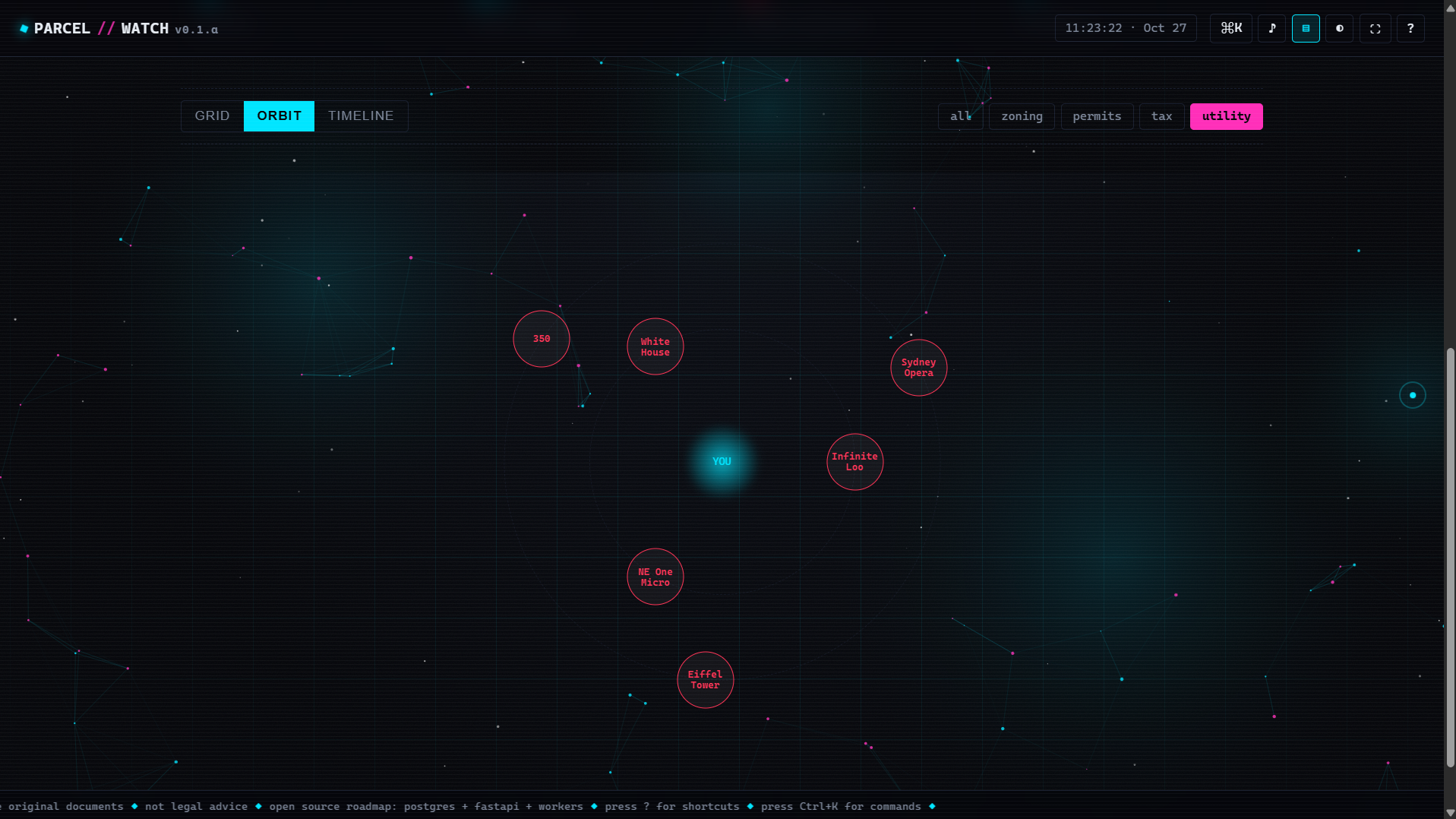
- Orbit View: Put a glowing circle in the middle for the user. Put their addresses as planets orbiting around it. Clicking a planet takes them back to Grid view and scrolls to that address.
- Timeline View: Show all cases from all addresses in a vertical list, sorted by date.
- Empty State: If there are no addresses, show a big ASCII symbol and say "Click a search result above to add it."

### 4. EXTRA FEATURES
- Command Menu: Press Ctrl+K to open a search box. List all actions (change theme, clear all, switch view, etc.). Let the user use Arrow keys and Enter to select.
- Keyboard Shortcuts: T = Theme, S = Scanlines, M = Sound, F = Fullscreen, V = Cycle View, R = Random, E = Export, ? = Help, Esc = Close, / = Focus search.
- Sound: Use the Web Audio API to make short beep sounds when clicking (make it toggleable).
- Popups: Show a small popup message (toast) at the bottom when something succeeds (like "Copied to clipboard").

### 5. CODE RULES
- Use CSS variables (:root) for all colors so the theme switch works perfectly.
- Turn off the custom cursor on mobile phones.
- Wrap all JavaScript in (() => { ... })(); so it doesn't break other things.
- Write clear comments in the code for the Canvas background and the Fake Data generator.

Give me the entire HTML file. Do not truncate the code. Output it all in one single code block.9 likes · 1 comment · 1 view
Comments (1)
you are cooking bro <span style="color: rgb(232, 234, 242)">This is exactly what every homeowner needs. Local zoning and permit changes are always so buried.</span>