Skytrace
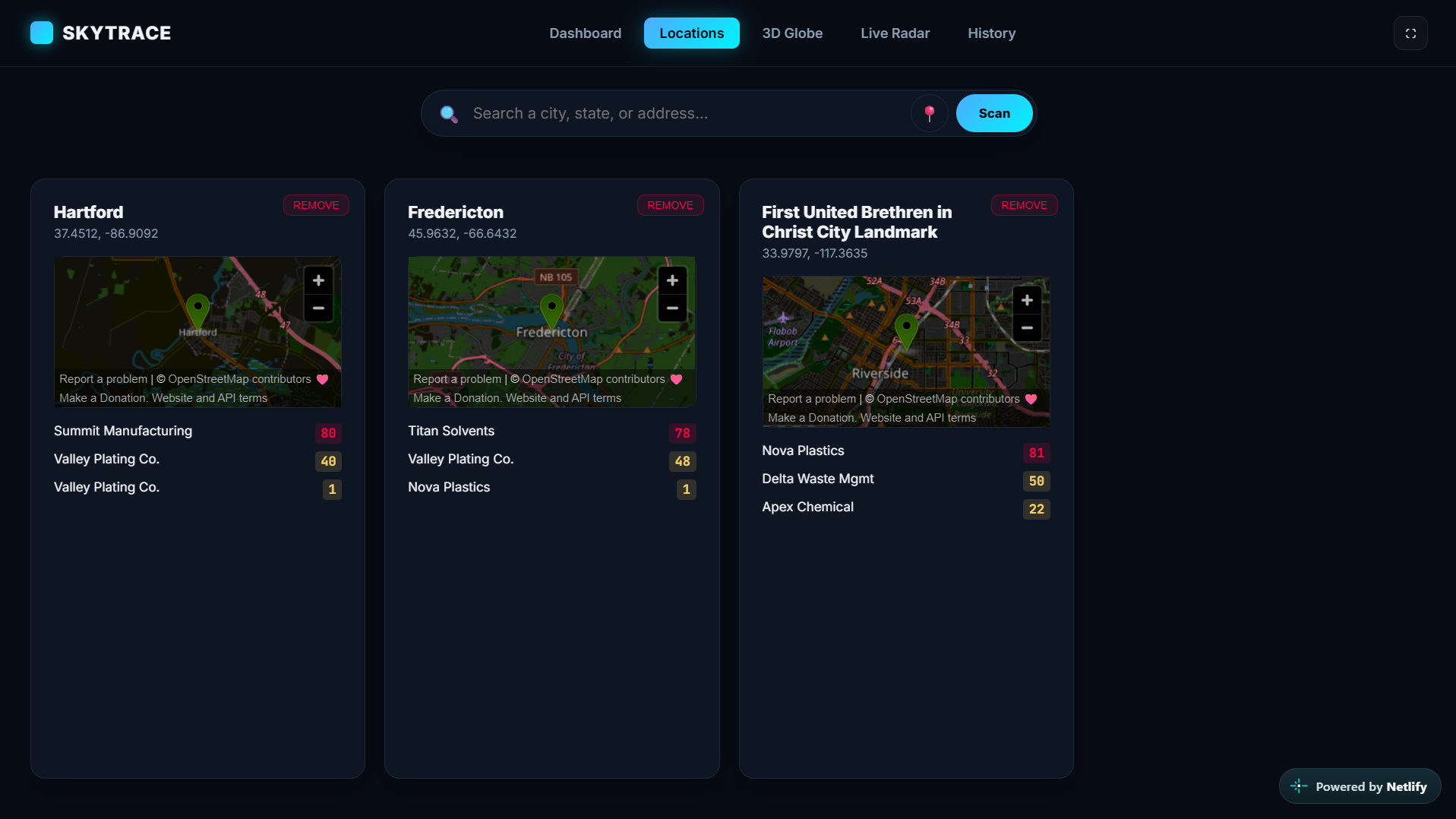
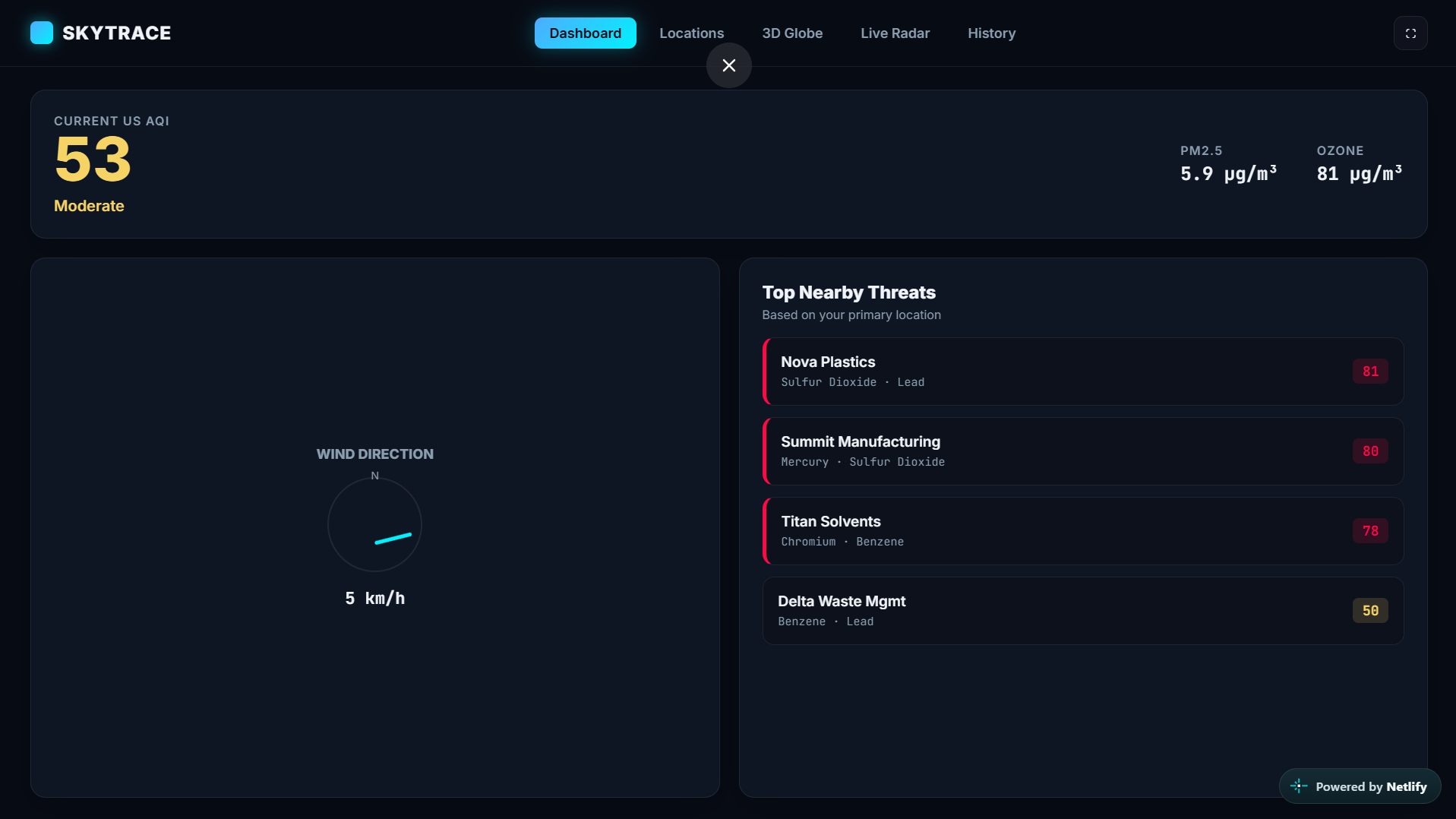
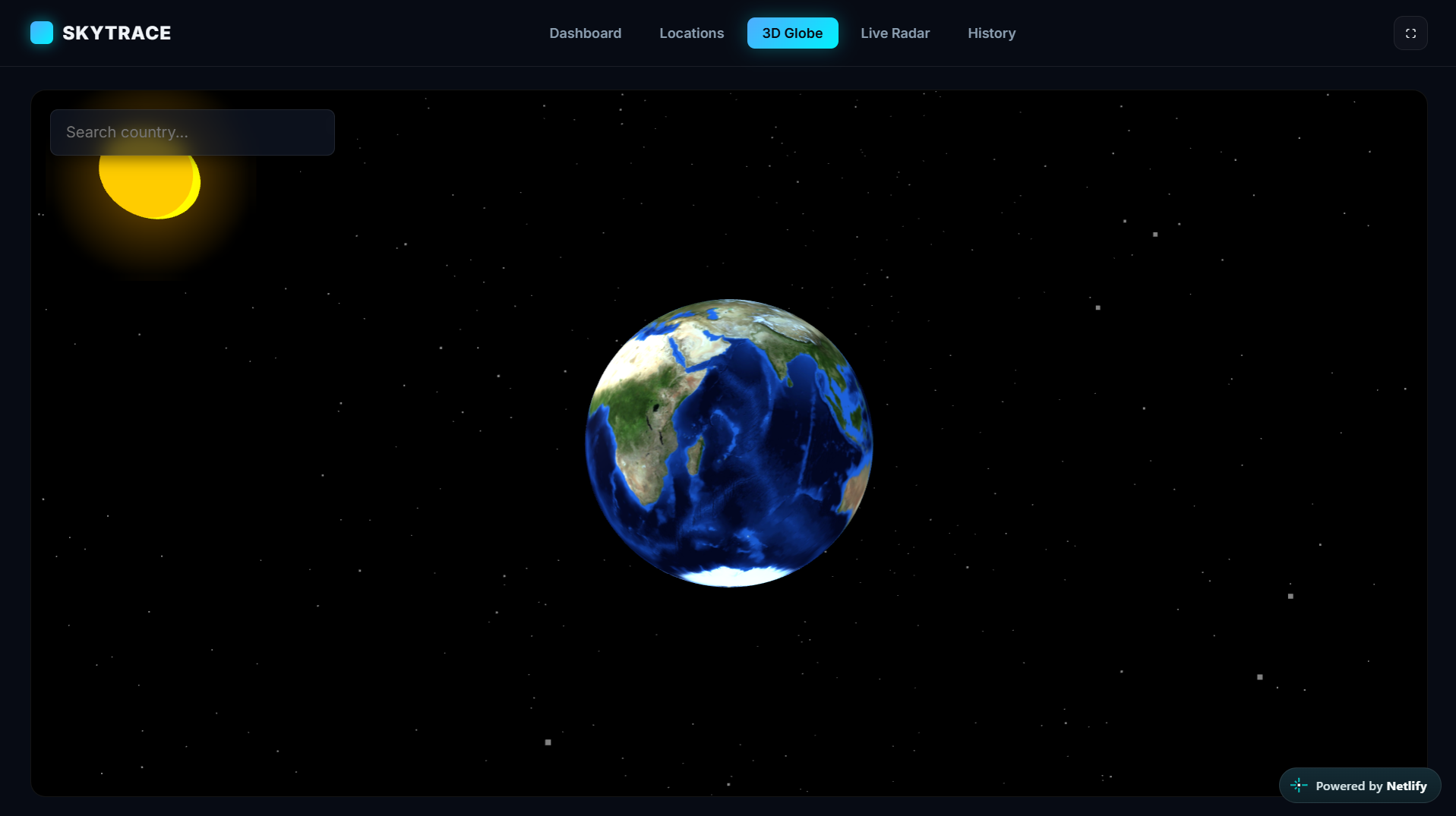
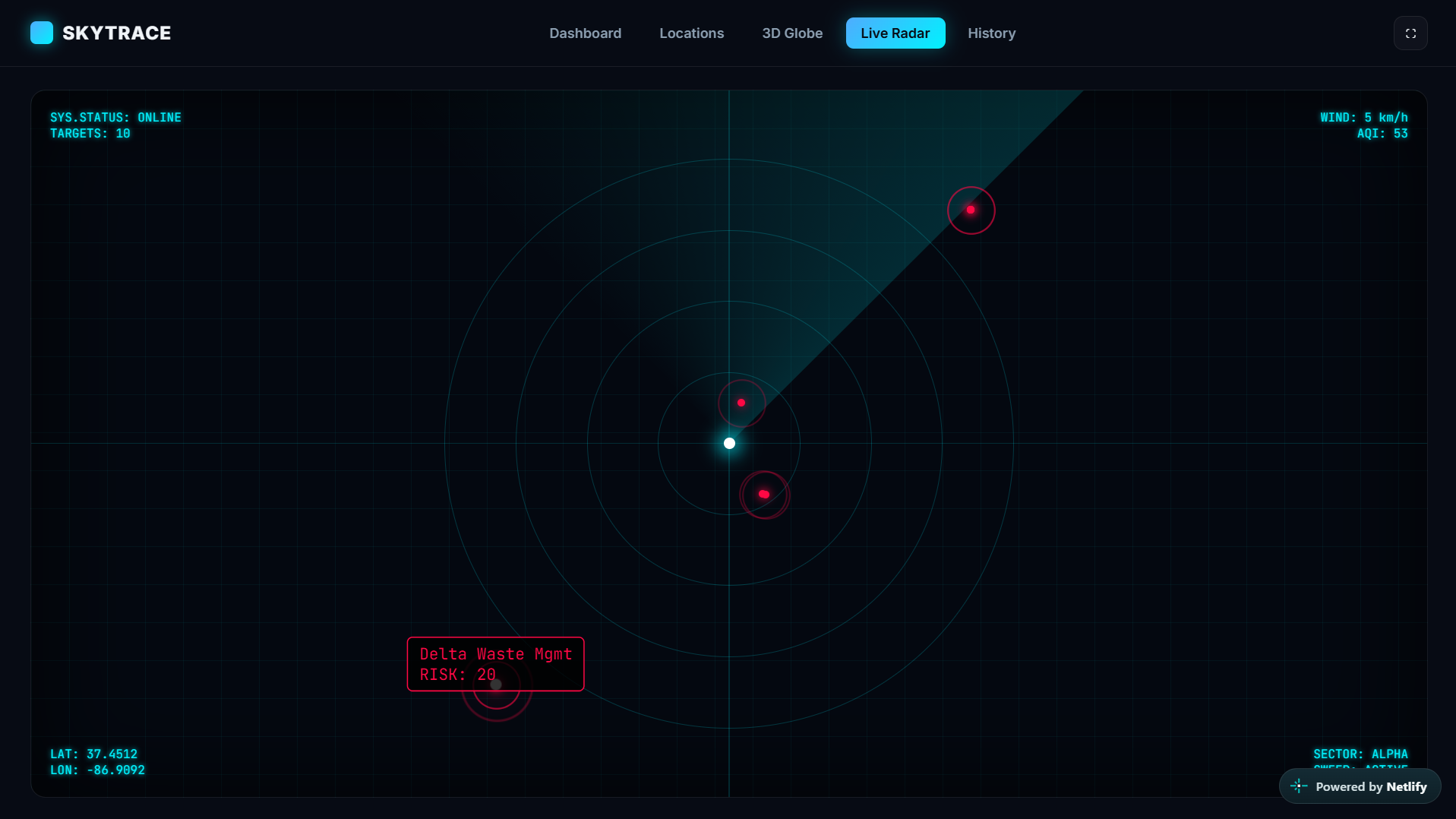
You ever look out the window and actually wonder what's floating in the air? Or what that random plant down the street is really pumping out? That's exactly why I put together SkyTrace.
You just type in your city or drop a pin, and it gives you the straight facts. You get real live air quality stats, wind direction, and a solid map of all the nearby chemical plants and toxic facilities in your area. It even has a smooth 3D globe you can spin around to check data anywhere on the planet, plus a live sci-fi radar for your local spot.
No complicated setup, just straight data. Take a look and see what's actually going on in your neighborhood.
Tech stack
- Cursor
- Gemini
Links
Prompt steps
Step 1
Act as an expert web coder. Build me a working single-file website called "SkyTrace". It is an environmental tracker that shows air quality and nearby toxic factories. Put everything in ONE single HTML file. Use inline <style> for CSS and inline <script> for JavaScript. You can use free data from the internet (like Open-Meteo for weather). But DO NOT use any outside libraries. No React, no Tailwind, no jQuery. Just plain HTML, CSS, and JS.

Here are the exact rules for how the site must look and work:

### 1. LAYOUT & DESIGN
- **No Scrolling:** The entire app must fit perfectly in the browser window. Use `height: 100vh; overflow: hidden;` on the body.
- **Theme:** Dark mode, futuristic. Deep blue/black background. Use a glassmorphism effect for panels (slightly see-through, blurred background). Use cyan (#00f2fe) for primary accents and red (#ff0844) for danger.
- **Background:** Create an animated background with slow-moving, blurry "aurora" blobs.
- **Header:** A top navigation bar with the logo "SKYTRACE" and 5 tabs: Dashboard, Locations, 3D Globe, Live Radar, History. Also add a Fullscreen button.
- **Tabs:** Clicking a tab hides all other pages and shows only the selected one.

### 2. THE PAGES
- **Dashboard Page:** A grid layout. Show 3 big glass panels:
  1. "Current US AQI" (Air Quality Index) with the number and status (Good, Moderate, etc.).
  2. "Wind Direction" with a compass needle that rotates based on the wind degree.
  3. "Top Nearby Threats" listing the 3 most dangerous factories nearby.
- **Locations Page:**
  - A search bar. The input MUST be completely empty (no placeholder text).
  - A "My Location" button (📍) that uses the browser's GPS to find the user's current coordinates.
  - A search button. When clicked, use `https://nominatim.openstreetmap.org/search` to find the city/address. Show the results as clickable cards. If the user searches a state (like "Texas"), force the search to look for `city in Texas` so it returns 10+ cities.
  - When a result is clicked, save it to `localStorage`. Show it as a card with a mini OpenStreetMap iframe and a list of fake toxic factories.
- **Live Radar Page:** A dark square box with concentric rings and a rotating radar sweep animation (like a sci-fi movie). Show fake red dots (factories) on the radar. Add HUD text in the corners (LAT, LON, WIND, AQI).
- **History Page:** A simple list showing a log of when the user added or removed a location.

### 3. DATA & LOGIC
- **APIs:** When the app loads or a location is selected, fetch real data from `https://air-quality-api.open-meteo.com/v1/air-quality` and `https://api.open-meteo.com/v1/forecast` for wind.
- **Mock Data:** Write a JS function that generates 3-5 fake factories (e.g., "Apex Chemical", "Riverside Refinery") with random risk scores and fake chemicals (Benzene, Lead). Attach these to the saved locations.
- **Storage:** Save the watched locations and history in `localStorage` so they don't disappear on reload.

### 4. CODE RULES
- Use CSS variables (:root) for all colors.
- Wrap all JavaScript in (() => { ... })(); so it doesn't break other things.
- For the 3D Globe page, just leave an empty black div for now. We will build the 3D part in the next step.

Give me the entire HTML file. Do not truncate the code.
Step 2
Now we need to build the 3D Globe page (the tab that currently has an empty black div).

Add Three.js and OrbitControls to the HTML head via CDN. Write the JavaScript to build a stunning 3D space scene.

Here are the exact rules for the 3D Globe:

### 1. THE 3D SCENE
- **The Earth:** Create a sphere with a high-res Earth texture (`https://unpkg.com/three-globe/example/img/earth-blue-marble.jpg`).
- **The Sun:** Place a yellow glowing sphere in a FIXED position far to the top-right (e.g., x: 20, y: 15, z: 20). Add a soft glow sprite around it (reduce opacity to 0.4 so it doesn't blind the user).
- **Lighting:** Add a directional light at the sun's position. Crucially, add an Ambient Light with a soft blue color (`0x6b8cae` and intensity `2.5`) so the dark side of the earth is still clearly visible and doesn't look pitch black.
- **Stars:** Add 3000 tiny white particles scattered around the scene. Make them twinkle smoothly using a Math.sin() function in the animation loop.
- **Space:** Make the background of the globe container pure black (`#000`).

### 2. CONTROLS & ROTATION
- Use OrbitControls. Enable damping for smooth dragging. Disable panning. Limit the zoom distance.
- Enable `autoRotate` with a speed of 0.5 so the Earth slowly spins naturally.

### 3. COUNTRY SEARCH (Typeahead)
- Add an input box floating in the top-left corner of the globe.
- Fetch a list of all countries from `https://cdn.jsdelivr.net/npm/world-countries@4.0.0/countries.json`.
- When the user types (e.g., "Ger"), show a dropdown list of matching countries.
- When a country is clicked, run a smooth camera animation that flies the camera to that country's Lat/Lon, and stops the auto-rotation.

### 4. CAMERA MATH (Crucial)
- To fly to a specific Lat/Lon, you must convert the geographic coordinates to 3D Cartesian coordinates.
- Use this exact math for the camera target:
  `const phi = (90 - lat) * (Math.PI / 180);`
  `const theta = (lon + 180) * (Math.PI / 180);`
  `const x = -(distance * Math.sin(phi) * Math.cos(theta));`
  `const z = (distance * Math.sin(phi) * Math.sin(theta));`
  `const y = (distance * Math.cos(phi));`
- Animate the camera from its current position to the target position over about 1 second (60 frames). After arriving, wait 5 seconds, then resume the auto-rotation.

Update the existing code to include this 3D logic. Do not give me the whole file again, just give me the updated JavaScript and the HTML for the Globe page.
7 likes · 2 comments · 2 views
Comments (1)
This is really interesting man. I could see my dad loving something like this. There are a few plants near me I'll check out on here. Thanks for sharing!
thank you boss, it's my pleasure