PREFLIGHT, the cheat code your life admin has been missing (no cap, this thing is lowkey goated)
first thing first sorry for the tiiny- ads, i can't do anything about it just ignore it.
Okay so real talk. You know that vibe when you gotta move apartments and you show up at the bank with the wrong paper, on the wrong day, because somebody somewhere needed a proof of address before you could update your address? Yeah. That soul crushing "cooked" feeling. Preflight exists to nuke that feeling from orbit. It's a dependency atlas, a map of every form, office, deadline and blocker, laid out in the order stuff actually has to happen. Not a flat checklist. A real sequence. Bet.
Here's the whole course, quick and dirty.
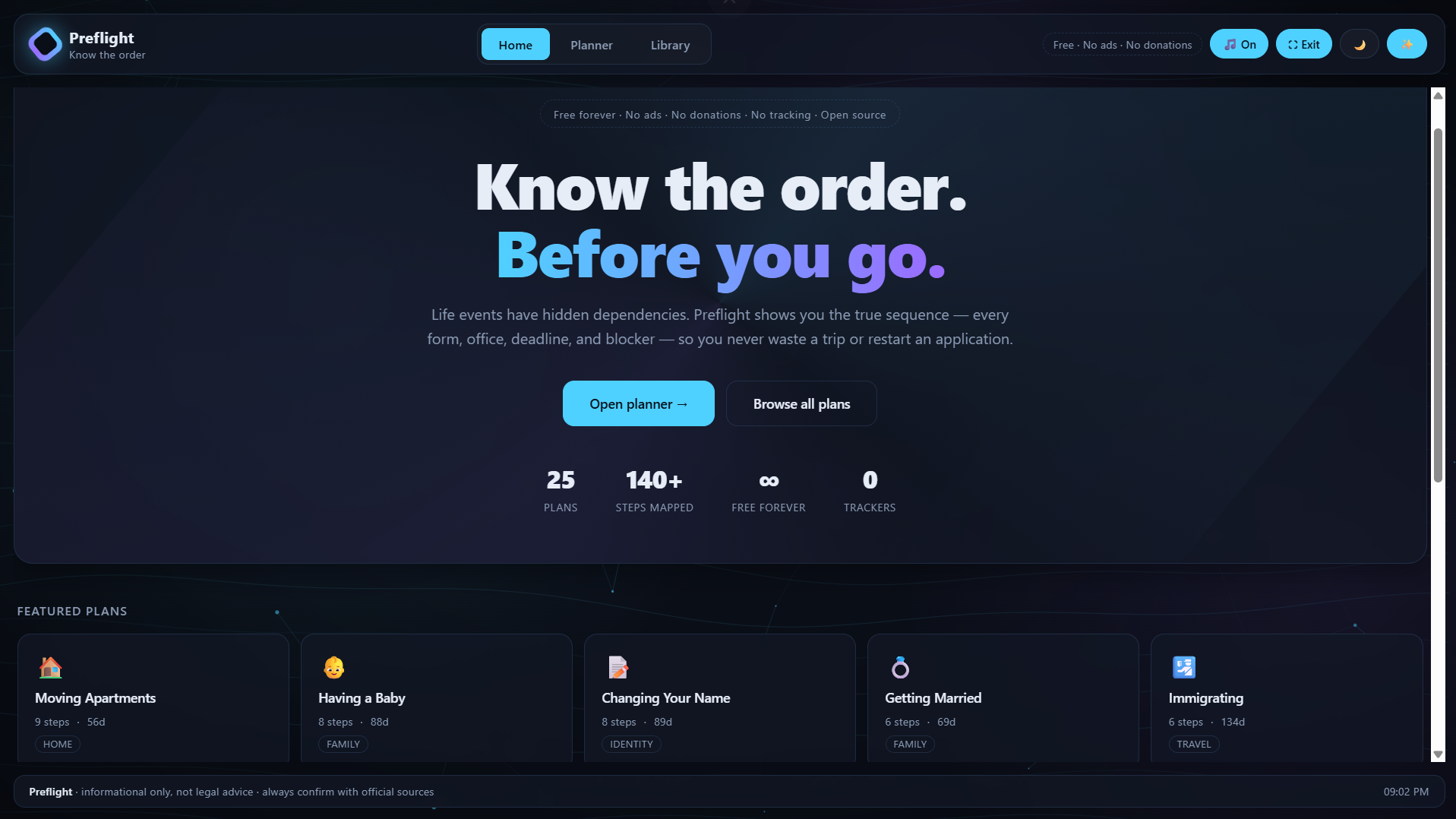
HOME: quiet landing. Hero, stats row, "Open planner" and "Browse all plans." Zero ads, zero donations, zero tracking. The charter sits in the header like a flex.
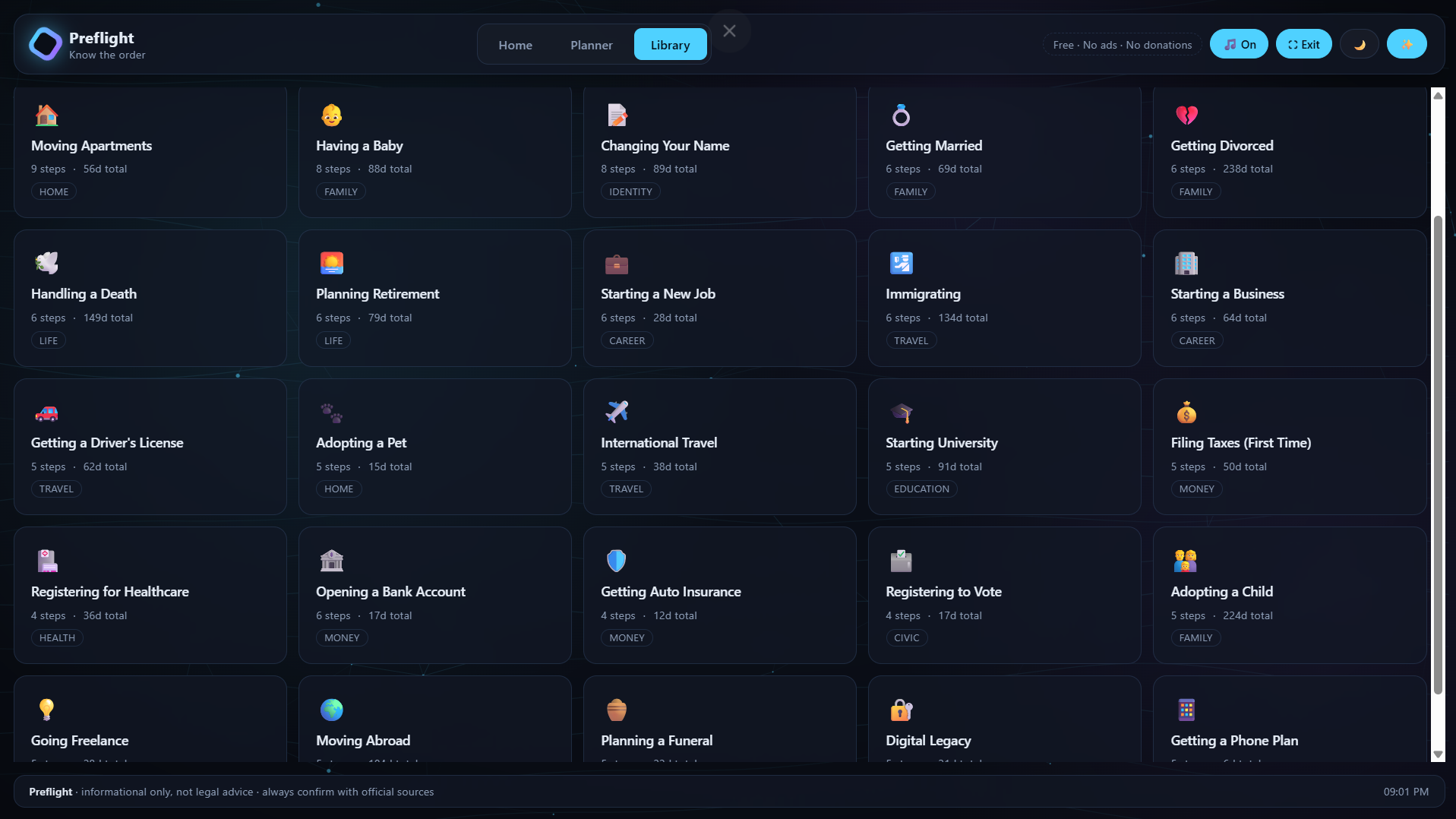
LIBRARY: your armory. 25 plans, search bar, category pills. Tap any card and it yeets you into the planner with that plan loaded.
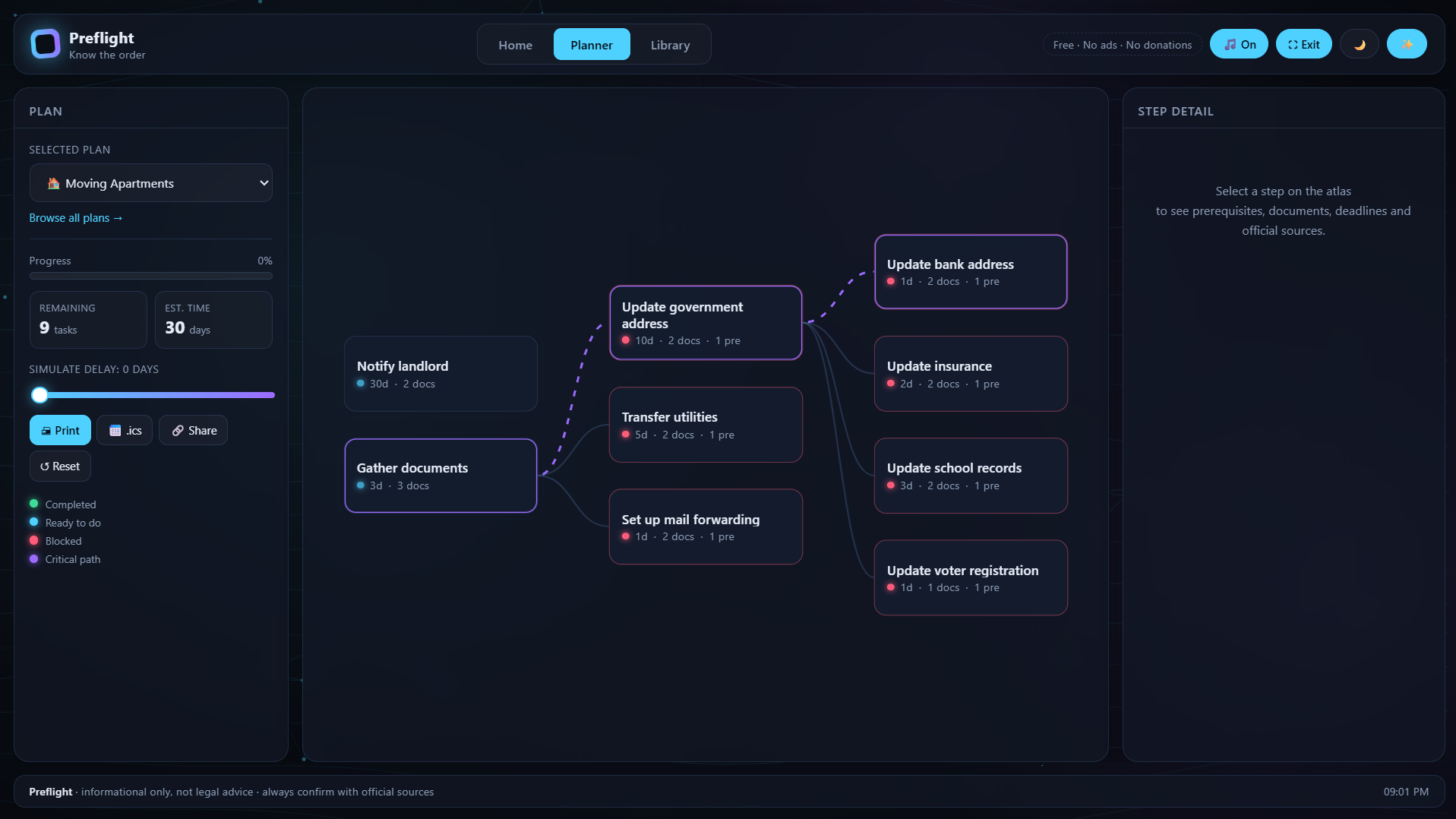
PLANNER: the main event, three columns. Left: plan dropdown, progress bar, remaining tasks plus est. days, a delay slider (0 to 90 days) that live shifts the whole schedule, and the action buttons: Print, .ics export, Share link, Reset. Legend at the bottom. Center: the graph. Every box is a step, every arrow means "can't do this until that's done." Green means done, cyan pulsing means ready right now, red means blocked, violet dashed edges are the critical path (the chain that actually sets your finish date). Click any node to inspect it. Right: the step dossier. Documents, fee, last verified date, prerequisite chips, unlock chips, pro tip, official source link, plus a big "mark as completed" toggle.
HEADER TOOLKIT: soft ambient music (generated live, no autoplay), fullscreen, theme toggle, motion toggle. All persist across reloads.
PRO MOVES: Work the cyan nodes. Ignore the red ones until they turn cyan. Reset the delay slider to 0 before sharing, otherwise the link shows an inflated schedule. Export the .ics after checking off finished steps. Print the packet before any in person visit. Paper doesn't die. Use focus mode when a plan gets messy. Dims everything outside the selected chain. Progress saves locally. Your data never leaves your browser. Ever.
THE VIBE: free forever, no ads, no donations, no tracking, no accounts, no backend. Just a clean map of the order things go in, so you stop getting cooked by bureaucracy.
Pick a plan. Watch the graph. Follow the cyan. Tick boxes. Ship it. Preflight. Know the order before you go.
informational only, not legal advice. Always double check the source links before you show up somewhere and get turned away. That part is on you, buddy.
Tech stack
- Claude Code
Links
Prompt
Build a complete, production-quality, web app called "Preflight" — a dependency planner for life events.

=== HARD CONSTRAINTS (non-negotiable) ===
- Zero money trace in the product: no ads, no donations, no sponsors, no grants, no "support us", no paid tier, no affiliate links. Include a visible charter badge in the header: "Free forever · No ads · No donations · No tracking · Open source".
- Persistence only via localStorage (no accounts, no backend).
- Respect prefers-reduced-motion. Provide manual toggles for motion and theme.
- Must work offline after first load.
- Accessible: keyboard focus visible, aria-labels on icon-only buttons, sufficient contrast in both themes.

=== APP STRUCTURE: 3 PAGES (hash-routed, no reload) ===
1. #home — quiet landing page:
   - Hero with big headline "Know the order. Before you go." (gradient accent on second line)
   - Charter badge, short subtitle, two CTAs: "Open planner →" and "Browse all plans"
   - Stats row: total plans, total steps, "∞ Free forever", "0 Trackers"
   - "Featured plans" grid (6 cards)
   - "Popular categories" grid (cards that filter the library)
   - No graph, no sidebar on this page — keep it visually calm.
2. #planner — the main atlas (3-column grid):
   - LEFT sidebar: plan <select> grouped by <optgroup> category; progress bar; two stat cards (remaining tasks, est. days); delay slider 0–90 days; action buttons (Print, .ics export, Share link, Reset); legend.
   - CENTER: an SVG dependency graph. Nodes are foreignObject cards. Auto-layout by topological depth (columns = dependency depth). Curved bezier edges.
   - RIGHT: detail panel for the selected step — title, tags (days, fee, status, projected finish), description, "mark as completed" toggle, documents list, official fee, last-verified date, prerequisite chips (clickable to navigate), unlock chips (clickable), tip, source link.
3. #library — searchable grid of all plans:
   - Search input, category filter pills, plan count
   - Grid of plan cards; clicking a card opens that plan in the planner.

Header is shared across all pages: logo (animated conic-gradient mark), center nav (Home/Planner/Library), right controls: charter badge, 🎵 Music toggle, ⛶ Fullscreen, 🌙/☀️ Theme, ✨ Motion.
Footer: "Preflight · informational only, not legal advice · always confirm with official sources" + live clock.

=== GRAPH RENDERING RULES ===
- Compute layers via memoized longest-path from roots.
- Layout: column per layer, vertically centered per column.
- Node size ~190×74. Render node content with SVG <foreignObject> containing a <div class="card">.
- Node states: done (green border), unlocked (accent border, pulsing status dot), blocked (red border). Critical path nodes get an accent2 inner ring.
- Edges: default subtle; active if source is checked; critical if both ends are on the critical path (longest weighted chain) — animated dash.
- Focus mode button: dims all nodes/edges except the selected node's ancestors + descendants.
- Clicking a node selects it and updates the detail panel.

=== DATA: 25 PLANS WITH DEPENDENCY GRAPHS ===
Each plan: { label, icon (emoji), cat, steps[] }.
Each step: { id, title, desc, deps:[ids], docs:[], fee:"$0", days:int, source:"https://example.gov/...", verified:"2026-01-15", tip:"" }.

Ship these 25 plans (categories in parentheses):
1. Moving Apartments (Home)
2. Having a Baby (Family)
3. Changing Your Name (Identity)
4. Getting Married (Family)
5. Getting Divorced (Family)
6. Handling a Death (Life)
7. Planning Retirement (Life)
8. Starting a New Job (Career)
9. Immigrating (Travel)
10. Starting a Business (Career)
11. Getting a Driver's License (Travel)
12. Adopting a Pet (Home)
13. International Travel (Travel)
14. Starting University (Education)
15. Filing Taxes — First Time (Money)
16. Registering for Healthcare (Health)
17. Opening a Bank Account (Money)
18. Getting Auto Insurance (Money)
19. Registering to Vote (Civic)
20. Adopting a Child (Family)
21. Going Freelance (Career)
22. Moving Abroad (Travel)
23. Planning a Funeral (Life)
24. Digital Legacy (Digital)
25. Getting a Phone Plan (Digital)

Each plan needs 5–9 steps with realistic dependency chains (not all sequential — include parallel branches and re-convergence). Use generic but plausible step names, fees, day counts, and tips. Sources may use placeholder "https://example.gov/..." for demo purposes, but every step MUST have a source field and a verified date field rendered in the UI. That's fine — this is a prototype.

=== LIVE MOTION WALLPAPER (canvas, behind everything) ===
Fullscreen fixed canvas. Procedurally generated:
- 3 slowly drifting aurora blobs (radial gradients, accent + accent2, low alpha)
- ~20 undulating field lines (sum of sine waves, very low alpha accent)
- Particle constellation: 40–80 dots, gentle velocities, connect near pairs with faint lines, subtle mouse-repel within 180px.
- Respect reduced-motion: single static frame instead of animation loop.
- Theme-aware: read --accent and --accent2 from getComputedStyle so it re-colors on theme change.

=== SOFT AMBIENT MUSIC (Web Audio API, no files) ===
- Do NOT autoplay. A "🎵 Music" button in the header toggles it.
- On first toggle: create AudioContext, build a 5-note C-major pad (C3, E3, G3, C4, E4). Mix of sine + triangle. Each note gets:
  - lowpass filter with a slow LFO on frequency (0.03–0.09 Hz)
  - tremolo LFO on gain (0.08–0.18 Hz, depth ~40% of base gain)
  - feed into a master gain AND a shared feedback delay (~420 ms, feedback 0.32, lowpass 1.4 kHz) for warmth
- Master gain ramps 0 → 0.09 over 2.5 s on toggle-on; 0 over 1.2 s on toggle-off.
- Button label flips between "🎵 Music" and "🎵 On", gets .on class when playing.

=== FULLSCREEN BUTTON ===
- Request/exit fullscreen via standard API with webkit/ms fallbacks.
- Icon flips between "⛶" and "⛶ Exit"; title updates; .on class while active.
- Sync state on fullscreenchange events.

=== SHARE, EXPORT, PRINT ===
- Share: encode current plan + completed step ids into a URL hash "#plan=<urlencoded JSON>"; copy to clipboard; on load, if that hash exists, restore the plan and completed state.
- .ics: build a valid VEVENT calendar from projected schedule (start = today + scheduled start, end = start + step.days). Trigger a Blob download.
- Print: window.print(); @media print must hide canvas, header, footer, and the sidebar, and print graph + detail panel in black on white.

=== STYLE & UX ===
- Dark theme by default (deep navy #0a0e17 bg, accent cyan #4fd1ff, accent2 violet #9b6bff). Light theme: soft #eef3fb bg, darker accents. Toggle persists.
- Panels: rgba glass with backdrop-filter: blur(14px), 16px radius, 1px subtle border, soft shadow.
- Use CSS variables so theme swap recolors everything including canvas.
- Smooth transitions on hover, theme change, progress bar.
- Responsive: below 1150px, stack the planner into one column, make header wrap, hide charter badge.
- Keyboard: Escape cancels focus-mode; Enter/Space activates plan cards.
- Add a footer clock that updates every 30 s.7 likes · 4 comments · 2 views
Comments (2)
amazing idea man this is very useful
thanks mate<div><br></div>
Very cool build, thank you for sharing. A life planner is really cool, I've never seen something like this. I really like the creativity and the site looks great, nice job!
thank you very much jack.
hope next challenge ain't on votes. winner judged by admins, based in quality.
is there any challenge for November?