hipfolio: Turn Your GitHub Profile Into a Beautiful, Credible Developer Portfolio in Minutes
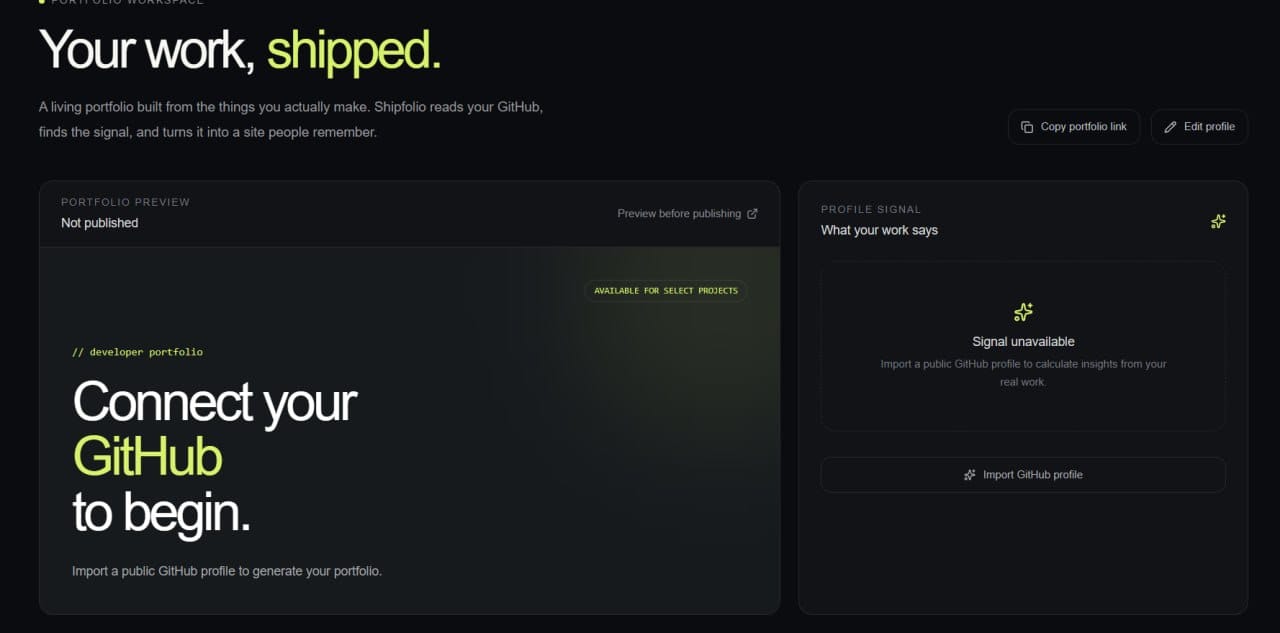
Most developers have strong work hidden inside GitHub, but their profiles rarely tell the full story. Shipfolio transforms a public GitHub profile into a polished portfolio website by analyzing repositories, README files, releases, and open-source activity. Users simply paste their GitHub profile URL, review the imported projects, choose what to showcase, and preview their portfolio before publishing. No complicated setup, OAuth permissions, or manual writing is required. The result is a personal site that communicates technical strengths, meaningful projects, and momentum clearly. Shipfolio helps developers present proof of their work, stand out to recruiters, and ship their professional identity faster.
Tech stack
- Antigravity (4 Argon)
Links
Prompt
Build Shipfolio, a polished SaaS product that transforms a public GitHub profile URL into a professional developer portfolio website. Users should paste their GitHub profile link, then the app should fetch publicly available profile information, repositories, README content, languages, stars, releases, and contribution signals. Never use fake, hardcoded, or placeholder user data. If no URL has been imported, show a clear empty state asking the user to paste a public GitHub profile URL. After importing, let users review and select repositories, edit their headline and short bio, and preview the exact public portfolio before publishing. Include responsive dashboard tabs for Overview, Projects, Activity, and Settings. Provide a working publish flow that generates a shareable portfolio route. Use a dark, editorial developer-focused visual system with lime accents, strong typography, accessible contrast, smooth responsive scrolling, loading states, validation errors, and graceful handling of unavailable or private GitHub data. Ensure every button and tab works correctly on desktop and mobile.