NeonFit
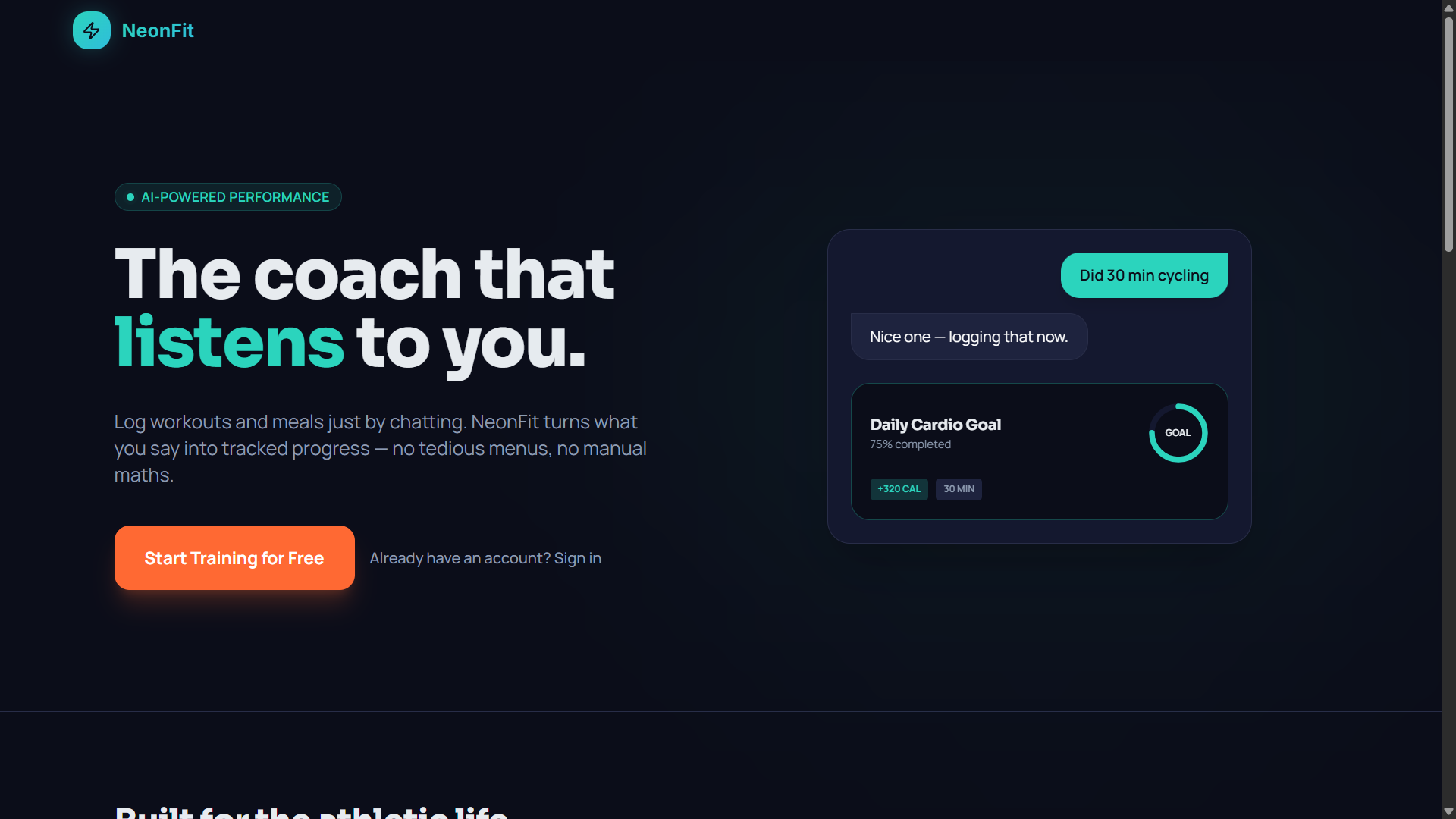
NeonFit started when an independent fitness enthusiast wanted a simpler way to track cycling, strength training, tennis and nutrition without switching between multiple apps.
Using Lovable and Claude, the creator built a working fitness tracker in three days for approximately £27.
The result was an AI-powered companion that accepts everyday language and workout screenshots, turning them into structured fitness records.
The project demonstrates how AI-assisted development can help an independent builder solve a practical problem with a focused, working application.
Tech stack
- Claude
- Lovable
- Antigravity
- Claude Code (Opus 5.5)
Links
Prompt
PROJECT: NEONFIT — AI FITNESS TRACKING & PERSONAL COACHING PLATFORM

Project Vision

Build a beautifully designed AI-powered fitness application that allows users to track their workouts, nutrition, activity and personal fitness goals through natural conversations.

The central idea is to eliminate the frustrating manual data entry found in traditional fitness applications.

Instead of filling out complicated forms, users should be able to type something like:

"Just completed 45 minutes of cycling and burned 420 calories."

The AI should understand the message, extract the relevant workout information, and automatically save it to the user's activity history after appropriate validation.

Users should also be able to upload screenshots from exercise machines, fitness trackers and other workout applications.

The application must be realistic for an independent developer to build using AI-assisted development tools.

1. Premium Landing Page

Create a modern, responsive landing page with a distinctive dark visual identity.

Use deep navy backgrounds, subtle cyan and magenta accents, carefully selected typography and smooth, purposeful animations.

The homepage should contain a clear headline:

"Your fitness journey, intelligently tracked."

Include an interactive preview of the AI fitness coach that demonstrates a user recording a workout through natural language.

Develop sections introducing conversational logging, screenshot analysis, goal tracking, weekly AI insights and personalized workout suggestions.

Include clear Get Started and Sign In actions.

Prioritize a polished interface without unnecessary decorative elements.

2. Secure Account Creation

Implement authentication using Supabase Auth.

Allow users to create accounts, sign in securely, recover passwords and manage their account information.

Create a short onboarding process that asks users about their fitness objectives, preferred activities, experience level and tracking preferences.

Provide privacy controls and the ability to delete personal activity records.

Do not require users to provide medical information to use the basic tracking features.

3. AI Conversational Workout Logger

Integrate the Anthropic Claude API as the primary natural-language reasoning engine.

Build an intelligent chat interface where users can describe their physical activities without following a rigid format.

Example messages:

"Ran 5 kilometers in 28 minutes."

"Bench press, 4 sets of 10 reps at 60 kilograms."

"Played tennis for about an hour."

"Did 30 minutes of cycling today."

The AI must identify the exercise category, duration, distance, sets, repetitions, weights and other explicitly provided measurements.

Return the extracted information as structured JSON.

Validate numerical fields and measurement units before saving them.

When important information is missing, preserve the uncertainty or ask a short follow-up rather than inventing values.

Save confirmed workout entries to the user's activity database.

4. AI Screenshot Analysis

Develop a screenshot analysis tool where users can upload screenshots from fitness applications, smartwatch summaries or exercise-machine displays.

Use a vision-capable AI model to identify relevant information visible in each image.

Extract supported metrics such as activity type, duration, distance, pace, heart rate and displayed calorie estimates.

Present extracted information in an editable confirmation panel before saving.

Allow users to correct values if the AI misreads a screenshot.

Do not manufacture measurements that are unclear or absent from the image.

5. Nutrition Logging

Create a conversational nutrition-tracking system.

Users should be able to record meals using ordinary descriptions, such as:

"Had grilled chicken, rice and vegetables for lunch."

Support optional photographs for meal identification.

Use AI to identify possible ingredients and estimate nutrition using a reliable food-composition database.

Distinguish estimated values from verified food-label information.
Allow users to adjust serving sizes and correct ingredients.

Display daily nutritional totals without making unsupported health claims.

6. Smart Fitness Dashboard

Design an interactive dashboard that provides a clear overview of the user's recorded activities.

Include compact visual summaries for:

- Completed workouts.
- Total activity duration.
- Weekly training sessions.
- Recorded distance.
- Estimated calorie expenditure.
- Strength training volume.
- Daily and weekly goal completion.

Build clean charts showing historical progress.

Use progress rings, meaningful color indicators and responsive data visualizations.

Allow users to switch between daily, weekly and monthly views.

7. Personal Goal Management

Create a goal-setting system supporting activity, training and wellness objectives.

Users should be able to set goals such as:

"Complete four workouts this week."

"Cycle 100 kilometers this month."

"Improve my running consistency."

"Complete three strength sessions weekly."

Track progress automatically using confirmed activity records.

Provide visible progress indicators and clear milestone summaries.

Avoid penalizing users for taking rest days or missing activity targets.

8. AI Fitness Coach

Implement a conversational fitness assistant powered by Claude.

The coach should understand recorded workout history, stated fitness objectives and user preferences.

Allow questions such as:

"How consistent was my training this month?"

"What exercises have I been doing most frequently?"

"Suggest a simple strength workout for today."

"How does this week compare with last week?"

Use actual recorded information when producing personalized responses.

Distinguish general fitness education from professional medical advice.

Do not diagnose injuries, prescribe treatment or encourage unsafe exercise intensity.

9. Weekly AI Insights

Develop a scheduled summary feature that analyzes the user's recorded activities over the previous seven days.

Generate concise, personalized observations about activity consistency, completed goals and changes in training patterns.

Show comparisons with previous weeks where enough data exists.

Highlight achievements without presenting unsupported conclusions about health improvements.

Provide an optional summary email when the user opts in.

10. Workout History

Create a chronological activity timeline.

Each entry should contain the exercise name, date, duration, available measurements and optional notes.

Allow users to filter entries by activity type.

Implement editing, deletion and manual correction.

Provide an accessible data export option.

Maintain a reliable distinction between information the user explicitly entered and values estimated by AI.

11. Screenshot and File Storage

Use Supabase Storage to securely manage user-uploaded screenshots.

Restrict access to the account owner.

Implement file type and size validation.

Remove unnecessary temporary files after processing.

Provide clear controls for viewing and deleting uploaded content.

12. Technical Architecture

Use Lovable for AI-assisted application development and rapid iteration.

Build the frontend using React, TypeScript and Tailwind CSS.

Use Supabase for authentication, PostgreSQL storage and file management.

Integrate Anthropic Claude API through secure server-side functions.

Use a structured API layer for conversational logging, screenshot analysis and coaching requests.

Implement robust JSON schema validation for all AI-extracted activity data.

Use a lightweight charting library for progress visualizations.

Deploy the application to a supported production environment.

All AI provider keys must remain server-side.

13. Database Design

Design a relational database containing user profiles, fitness goals, workout records, exercise sets, nutrition entries, uploaded screenshots and AI coaching sessions.

Associate every record with its owner.

Use Row Level Security policies to prevent users from accessing other accounts.

Store timestamps consistently.
Maintain appropriate indexes for activity history and summary queries.

14. Mobile-First Experience

Make the interface comfortable to use on mobile phones.

Prioritize a prominent chat input, fast screenshot uploads and concise dashboard cards.

Users should be able to log a workout immediately after exercising without navigating complicated menus.

Keep interactions responsive, touch-friendly and accessible.

Provide useful loading indicators and recovery options during network failures.

15. Reliability and Quality

Test workout parsing, screenshot extraction, nutrition estimates, goal calculations and AI coaching responses.

Ensure uncertain measurements are not silently saved as exact values.

Verify authentication, account deletion, database access rules and export functionality.

Provide clear messages when AI processing fails.

Implement rate limiting and usage controls to prevent unexpected AI API costs.

Final Deliverables

Build a functional AI fitness application with:

- Premium landing page.
- Secure authentication.
- Conversational workout logging.
- AI screenshot analysis.
- Nutrition tracking.
- Personalized goal management.
- Activity dashboard.
- AI fitness assistant.
- Weekly progress insights.
- Searchable workout history.
- Privacy controls and data export.

Include clean source code, database migrations, environment configuration and deployment instructions.

The application should feel focused, personal and effortless.

Core principle: Stop managing workout forms. Just describe what you did, and let your fitness tracker organize the details.2 likes · 1 comment · 1 view
Comments (1)
Were you the creator?